Dash and Dot Robotics

What is Robotics?

Robotics is a branch of engineering and science that includes designing, constructing, and operating robots. Robotics includes aspect of computational thinking through the coding aspect of robotics. Fostering student interest in areas such as programming and robotics can inspire students continue study in STEM subject and to pursue careers in areas such as Science, Engineering and Computing (Klopfer, 2008; Squire and Klopfer, 2008).

How Robotics Fosters Creativity

Robotics can require students to design their own robot as well as devise their own coding to control its movements and sounds it produces. This requires students to think creatively and utilise their problem solving skills. This is especially true if students are required to design a robot to compete a specific task; students will have to think about how they can design the robots appearance to suit the task as well as to work in conjunction with the coding aspect of its design. This also allows students to gain hands on experience and to learn by doing (Kivinen and Ristelä, 2002).

Dash and Dot

Dash and Dot are educational robots that are controlled through an app that can be accessed using a device such as a phone or tablet.The Dash and Dot apps control their ability to produce of sounds and displays of light. Dash can move but dot is stationary. Dash and dot have multiple app which target a range of different range of coding ability. The lower ability apps target younger years (K -2) and have buttons that control Dash and Dots lights and sounds, and a virtual joy stick to control Dash’s movement (see the image below).
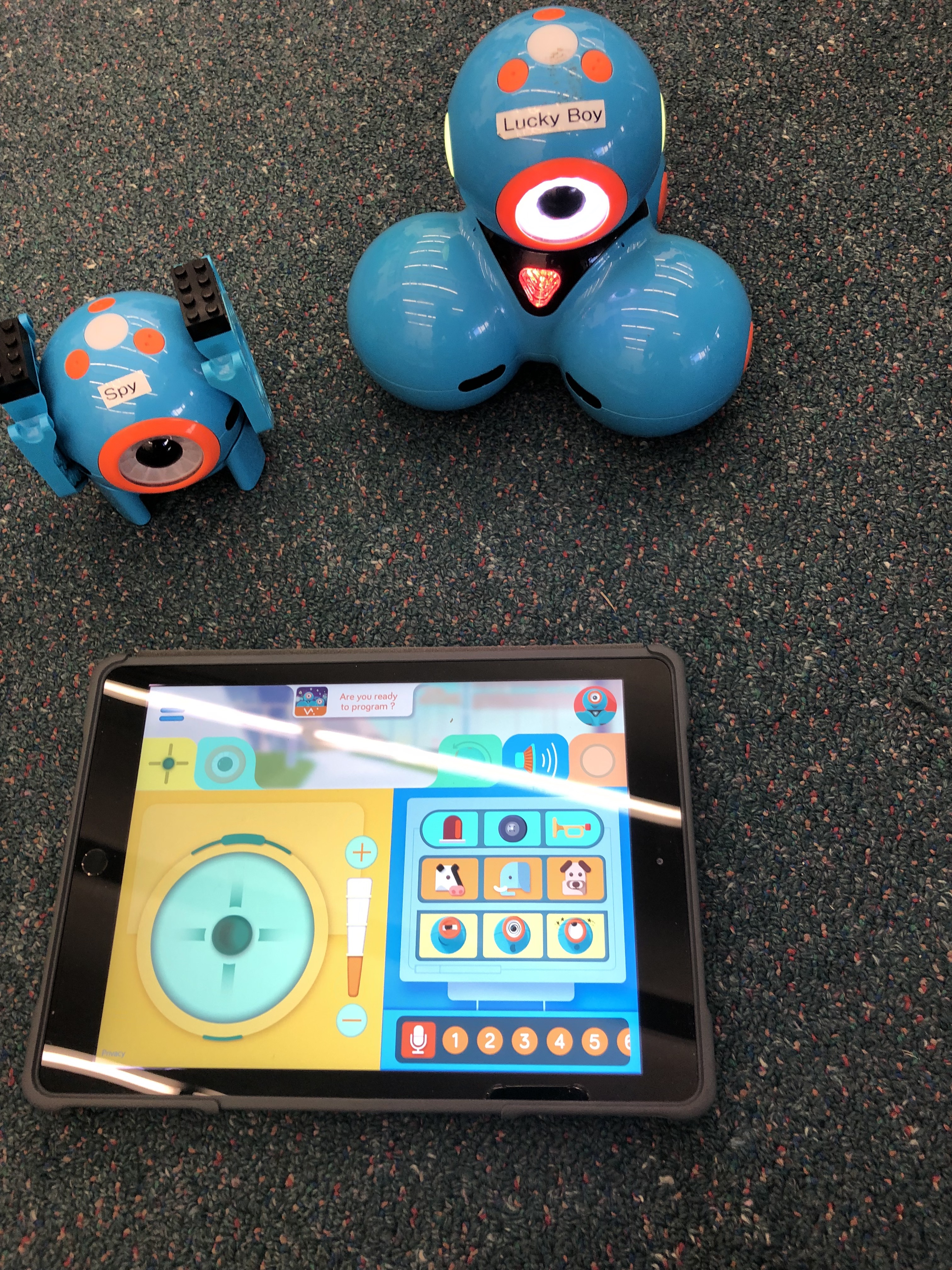
Dot (left back), Dash (right back), and the app used to program them (on and iPad)

The higher ability apps allow students to use coding bubbles (as seen below) as a light introduction to coding. Each bubble corresponds with a movement, sound or light display. Students connect up these coding bubbles to create a sequence of instructions for Dash and Dot to execute.

Programming app for Dash’s movements

Below is a exempla video, showing Dash executing a series of movements and sounds from the coding app instructions (see picture above).

Dash moving and producing sounds based on the code in the image above

Below is a video tutorial on the use of the Dash and Dot robots.

Below is a video created by a user of the Dash and Dot app.

Other Examples

  • Cody Rocky: a robot that is similar to Dash
  • Bee bot: a robot that responds to command buttons on its back
  • Evo by Ozobot: a pocket sized robot that can be coded to recognise colours or patterns.

Limitations

  • The equipment is expensive and therefore most likely only accessible during class time
  • Due to the expensive equipment, schools are only likely to have very few available – only a few students can use it at a time
  • Students may experience cognitive overload due to having to learn two things at once (how to code and the content being taught)
  • Students may play with the technology but neglect the work

References

Kivinen, O., & Ristelä, P. (2002). Even Higher Learning Takes Place by Doing: From postmodern critique to pragmatic action. Studies In Higher Education27(4), 419-430.

Klopfer, E. (2008). Augmented learning: Research and design of mobile educational games. Cambridge, MA: MIT Press.

Klopfer, E., & Squire, K. (2008). Environmental detectives: the development of an augmented reality platform for environmental simulations. Educational Technology Research and Development, 56(2), 203–228.

images

Touring with Virtual Reality

What is virtual reality?

Virtual reality is a 3D, computer-generated immersive simulation that allows the exploration of an environment. In virtual reality simulations, users are immersed in and interact with 3D worlds. Virtual reality is a very new technology that is extremely new to use in education and so there are not many scholarly articles of its use. However, in the coming years, due to availability and reducing costs of the technology, virtual reality will be more accessible in classrooms. Currently, depending on the technology, virtual reality simulations can be accessed using a device (computer, smart phone) or using a headset.

Can Virtual Reality Foster Creativity

Virtual reality has the potential to be extremely effective in promoting learning and greater retention of knowledge in visual learners (Liu et al., 2009; Wu et al., 2013). Virtual reality (and augmented reality) offers a unique experience allows students to experience phenomena that would otherwise be inaccessible or unsafe to conduct in the classroom (Kerawalla et al., 2006; Klopfer and Squire, 2008; Wu et al., 2013). The use of virtual reality also allows student to experience phenomena from different perspectives (Klopfer and Squire, 2008). Virtual reality allows students to learn by doing, giving them hands on experience, even if not physical, the skills learnt in virtual reality simulations can be transferred to real situations (Klopfer and Squire, 2008). This also allows students to develop higher order thinking skill in order to creatively apply new skills learnt to other situations.

Examples

1. Google Earth

Google Earth

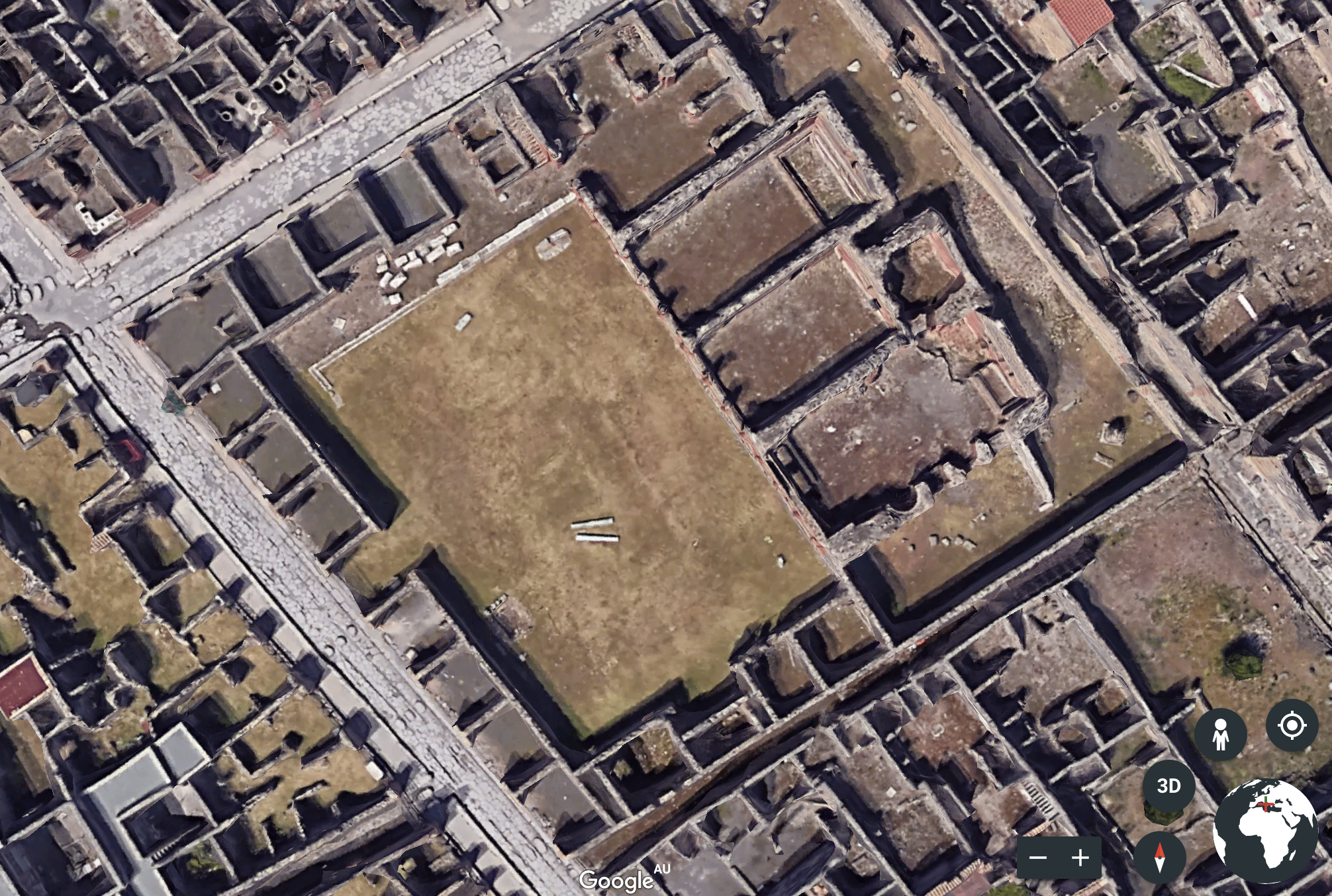
Google Earth can be accessed as a smartphone app, through a web browser or through a computer app. Google Earth is a computer program that enables users to view a 3D representation of Earth based on satellite imagery. It allows users to explore far away places that would normally be inaccessible due to the expensive of flights and time constraints of class time. Google Earth can be used in a range of subjects. For example, it could be used in History to explore the ruins of Pompeii (see image below) or in English to explore a city to set the context for a text that is being studied, or in Geography and Earth and Environmental Science to look at Land forms.

Ruins in Pompeii, Italy.

2. Egyptian Tomb Exploration

Egyptian Pharaoh Tombs Exploration

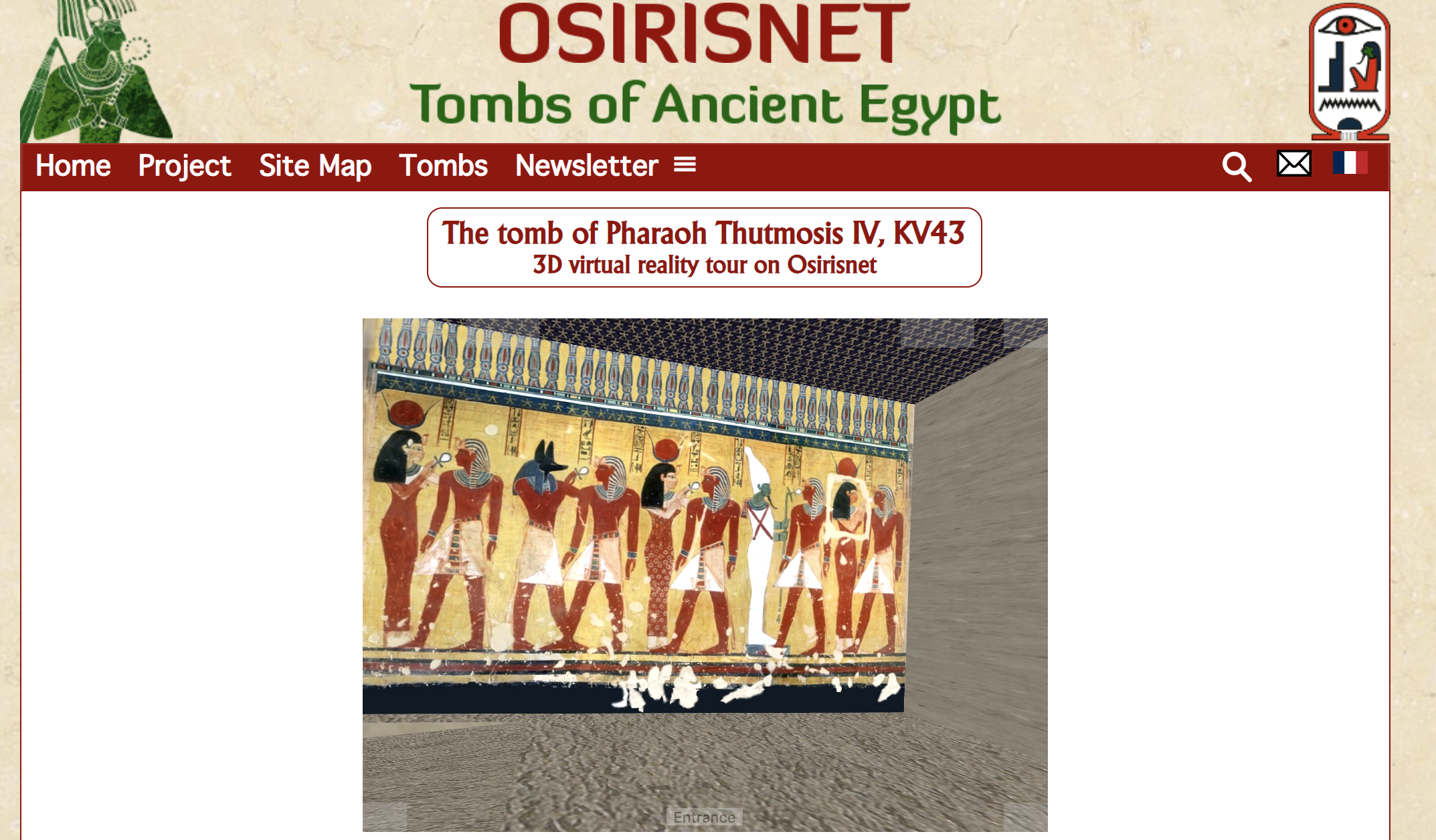
Osiris.net allows users to explore the tombs of Ancient Egyptian Pharaohs. This technology can be particularly useful in history and Ancient history.

2. Chasing Coral VR

Chasing Coral

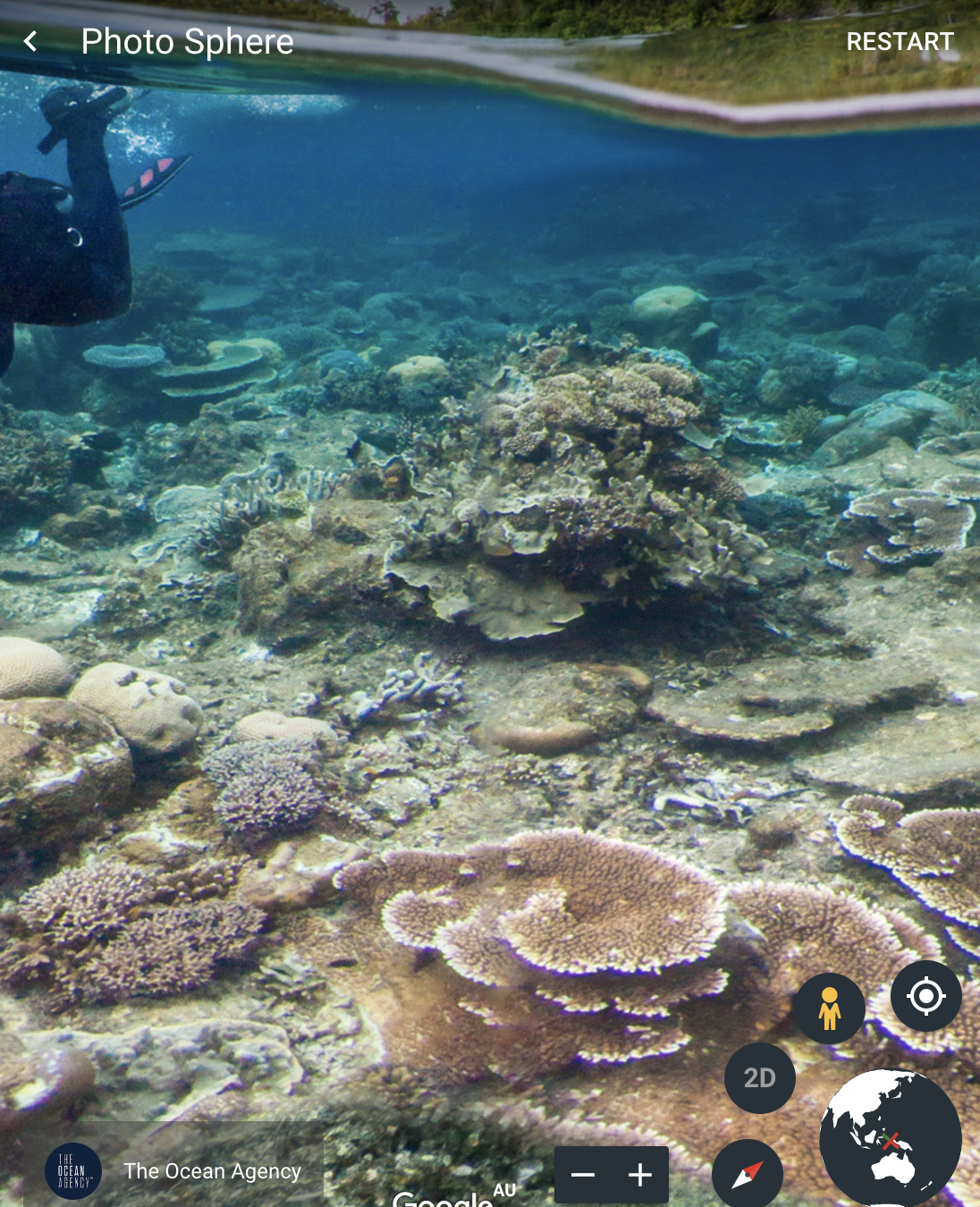
Chasing coral allows for the virtual exploration of coral reefs around the world. It is run through google earth if it is used on a computer or it has its own app if on a device (i.e. phone, tablet, etc). This application can be very useful in subjects such as Science, Biology, Geography, or Earth and Environmental Science in which students are required to look at reef systems and coral bleaching.

5. Volcanic Eruption Simulation

Volcano Simulation

This VR requires the use of a headset, however, what is displayed through the head set can be viewed as a video. Simulations of phenomena that is difficult to experience face-to-face, such as volcanic eruptions and earthquakes, can now be experienced.

Screen shot of the volcanic eruption simulation video

Limitations

  • Require JavaScript or Adobe to run – may waste lesson time installing
  • Internet may not work/may be slow – reduce classroom use time
  • May not run on iPads/tablets or older computers
  • Some of these may require the headset which is expensive

References

Kerawalla, L., Luckin, R., Seljeflot, S., & Woolard, A. (2006). “Making it real”: exploring the potential of augmented reality for teaching primary school science. Virtual Reality, 10(3), 163–174.

Klopfer, E., & Squire, K. (2008). Environmental detectives: the development of an augmented reality platform for environmental simulations. Educational Technology Research and Development, 56(2), 203–228.

Liu, T.-Y. (2009). A context-aware ubiquitous learning environment for language listening and speaking. Journal of Computer Assisted Learning, 25(6), 515–527.

Wu, Hsin-Kai, Lee, Silvia Wen-Yu, Chang, Hsin-Yi, & Liang, Jyh-Chong. (2013). Current status, opportunities and challenges of augmented reality in education.(Report). Computers & Education, 62, 41.

Images

Learning with Computer Games

How can Computer Games Foster Creativity in the Classroom?

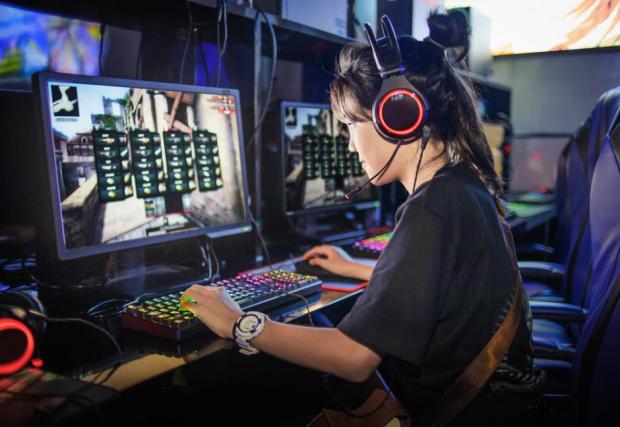
Computer games have been used in classrooms to help teach concept for many years. This is particularly true in schools that have greater resources and funding. The use of computer games in education is becoming more widespread as laptops (through many schools policy requiring student to have a device) have replaced computer rooms in schools across the country. Games present information through an interactive, multimodal way that engages all learners and allows for better recall (Boateng et. al., 2016; Gerger, 2014; Lu et al., 2014). Information presented in-game is often presented as text, said aloud and presented through visuals. This is particularly useful for reinforcing concepts, as well as targeting learners who learn through different modes. Games may require students to role play as a character, teaching students how to view problems through a different perspective. Klopfer and Squire (2008) in games that required students to role play to access information students adopted different ways of thinking to better suit their role. Educational games can target a range of skills including computational thinking, problem solving skills, and critical thinking skills. Educational games may even be used to assess student knowledge.

Examples

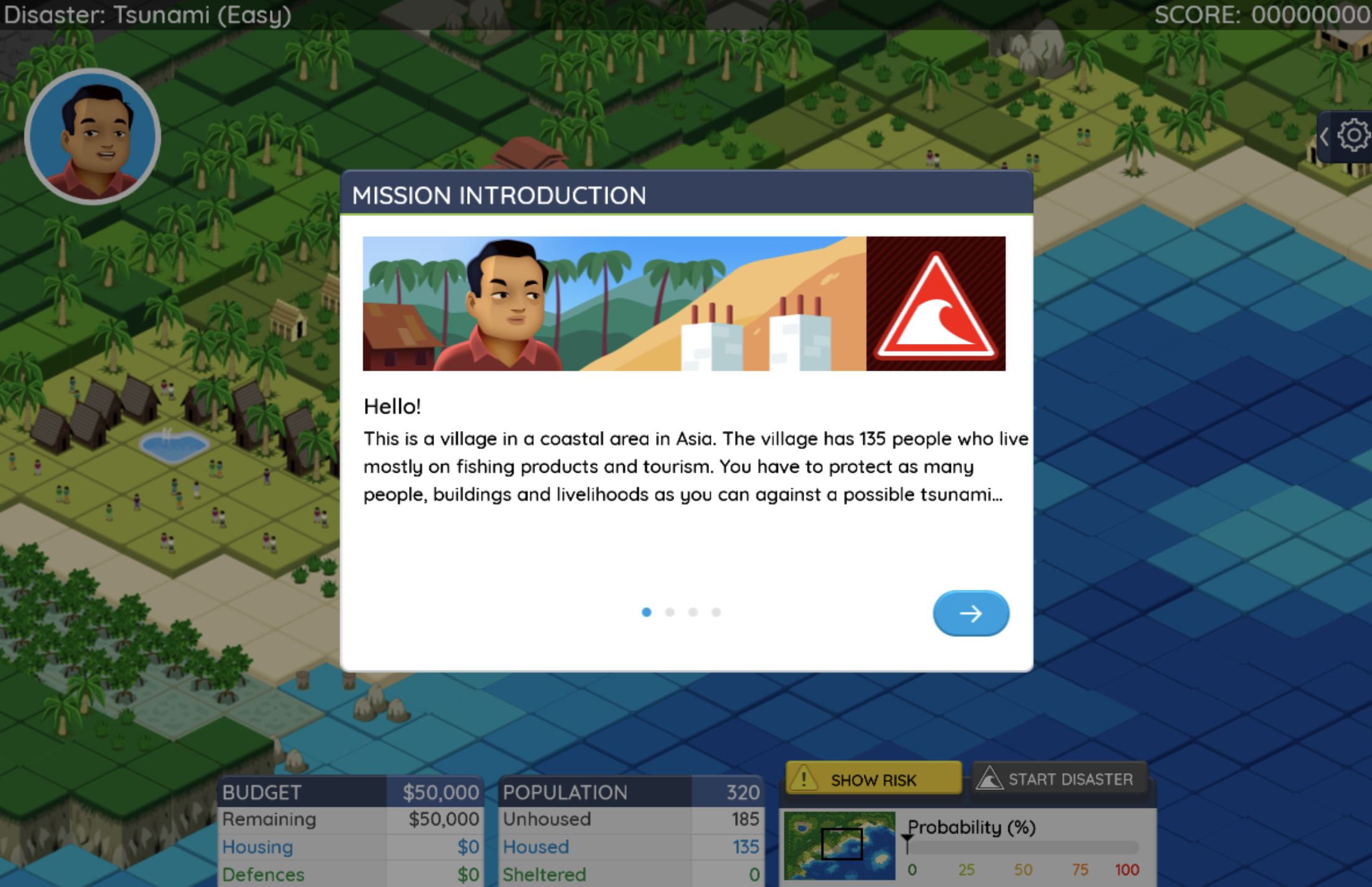
1. Stop Disasters Game

The stop disasters game require students to think strategically. Students are given a set amount of money and are required to use this to mitigate the effects of the upcoming disaster (e.g.: tsunami, earthquake, volcanic eruption, etc). The aim of the game is to limit the casualty rate and destruction. This game can be used to teach about natural disasters (year 9 science topic) or to conclude the topic by summarising their knowledge.

Click the following link for the Stop Disasters Game: Stop Disasters Game

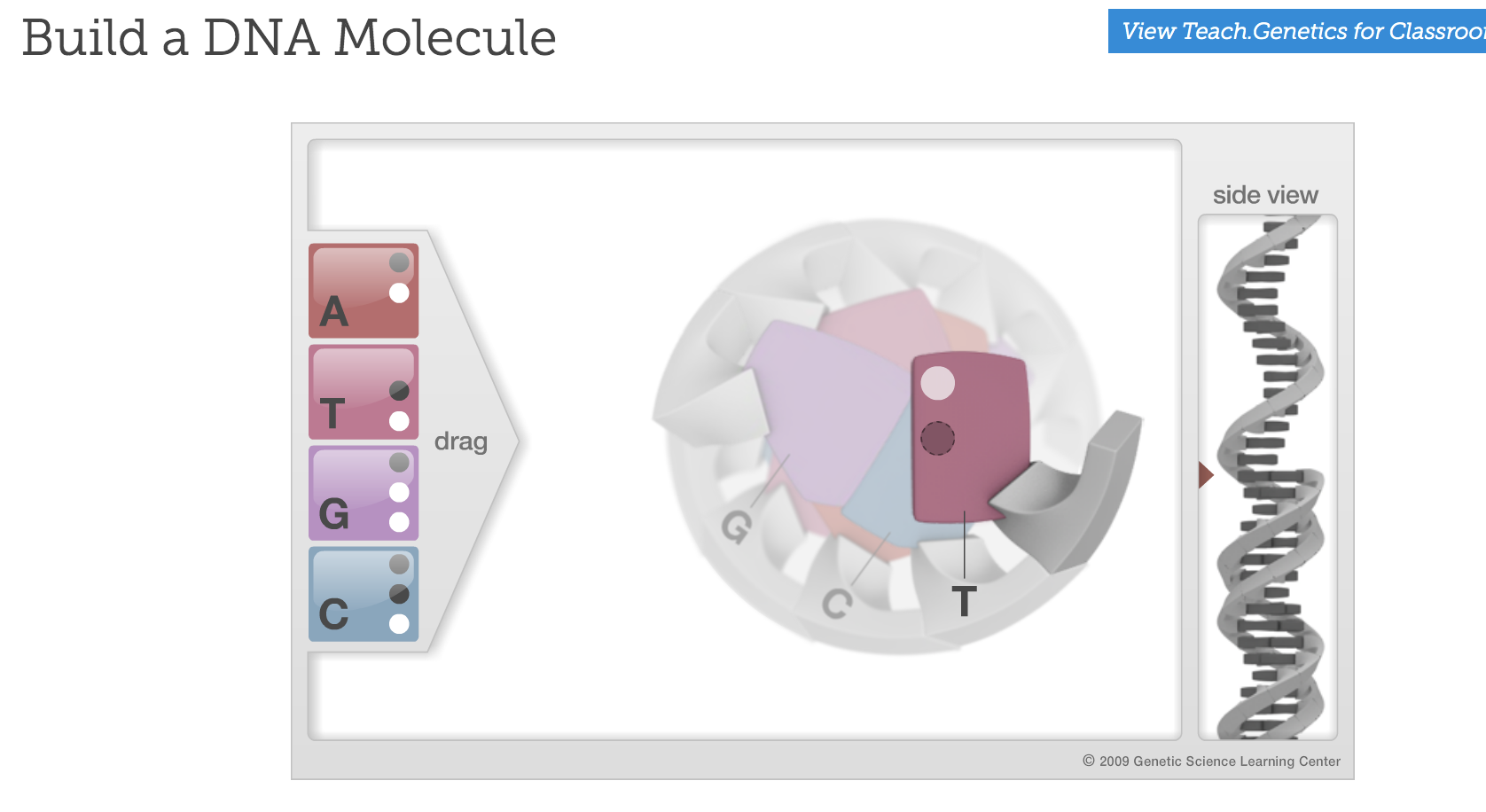
2. Build a DNA Molecule

Build a DNA molecule is a small game that requires students to build a DNA molecule by matching the correct base pairs. This type of game could be useful for reinforcing students knowledge.

Click the following link to access the DNA building game: DNA Building

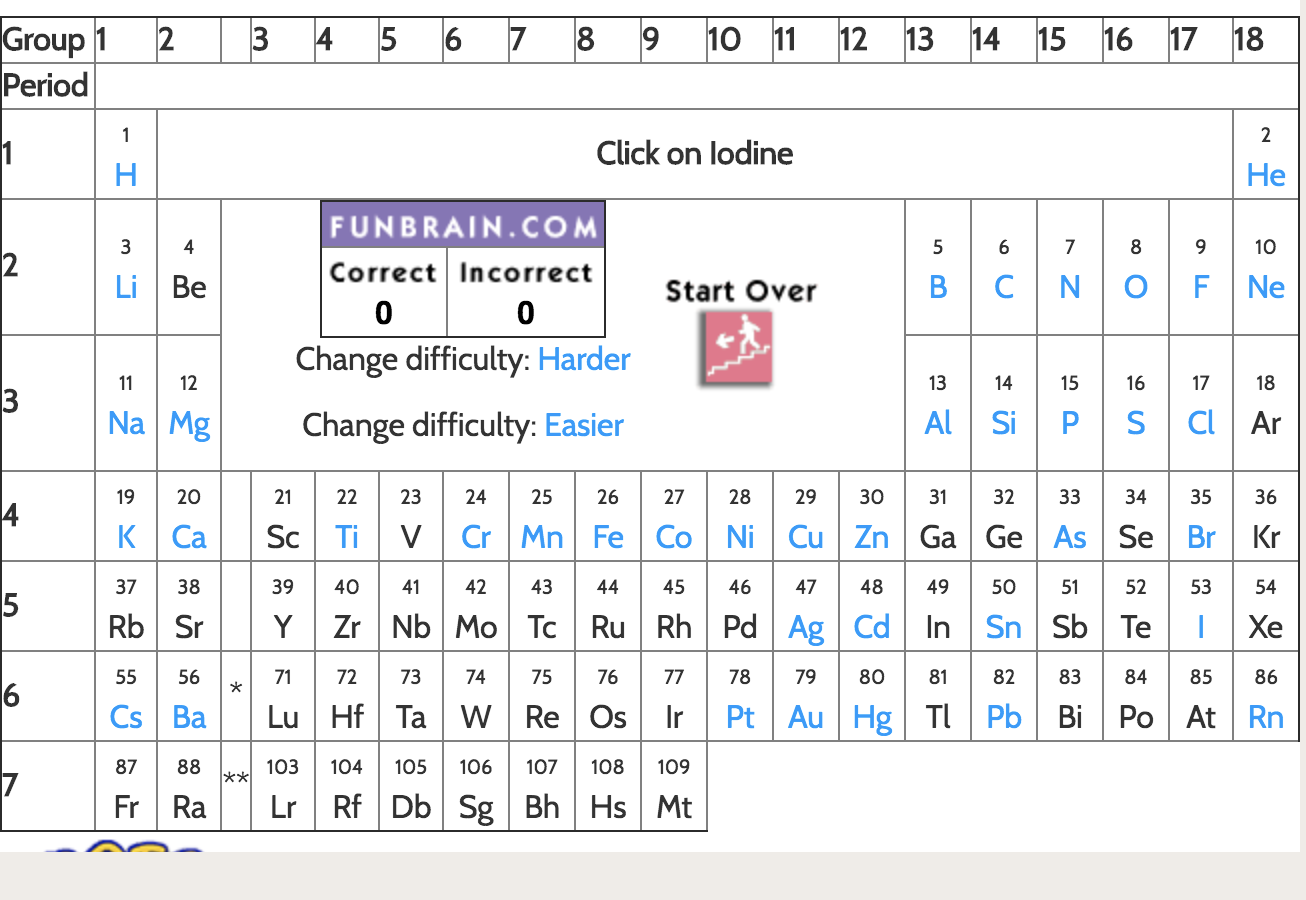
3. The Periodic Table Game

The Periodic table game is a game that allows users to adjust the level to suit the student. This is a quiz type game that can allow students to test their knowledge.

Click the following link to access the Periodic Table Game: Periodic Table Game

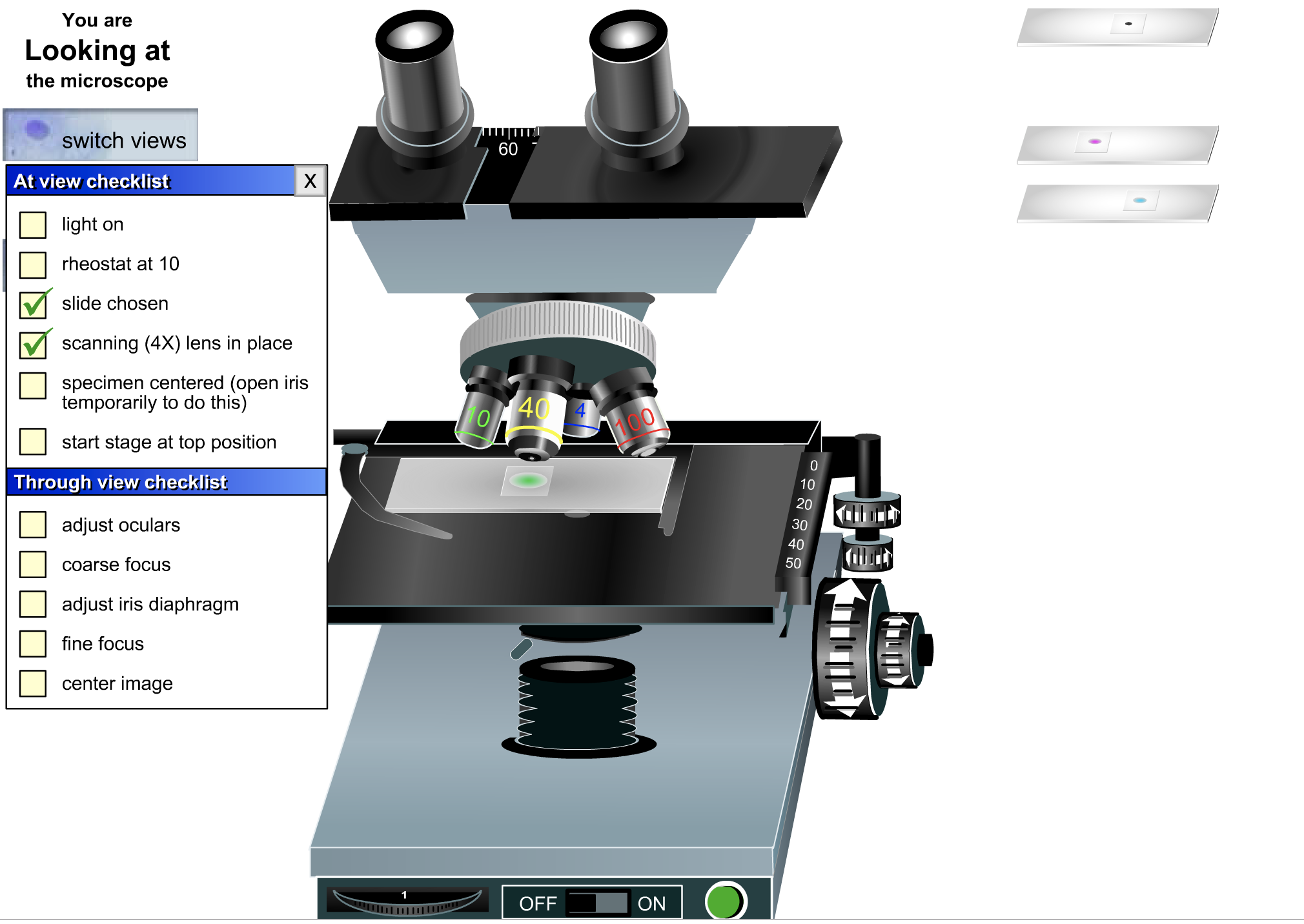
4. The Microscope Game

The microscope game can be used to introduce students to using a microscope. This game allows students to learn all necessary skills to use a microscope before having to physically use one. This game provides a checklist of things to do to compete the game. Students can use the checklist as prompts. Teachers can use the checklist to ensure students will be able to use a microscope safely (minimise damage to equipment).

Click the following link to access the Microscope Game: Microscope Game

5. Iphone app Duolinguo

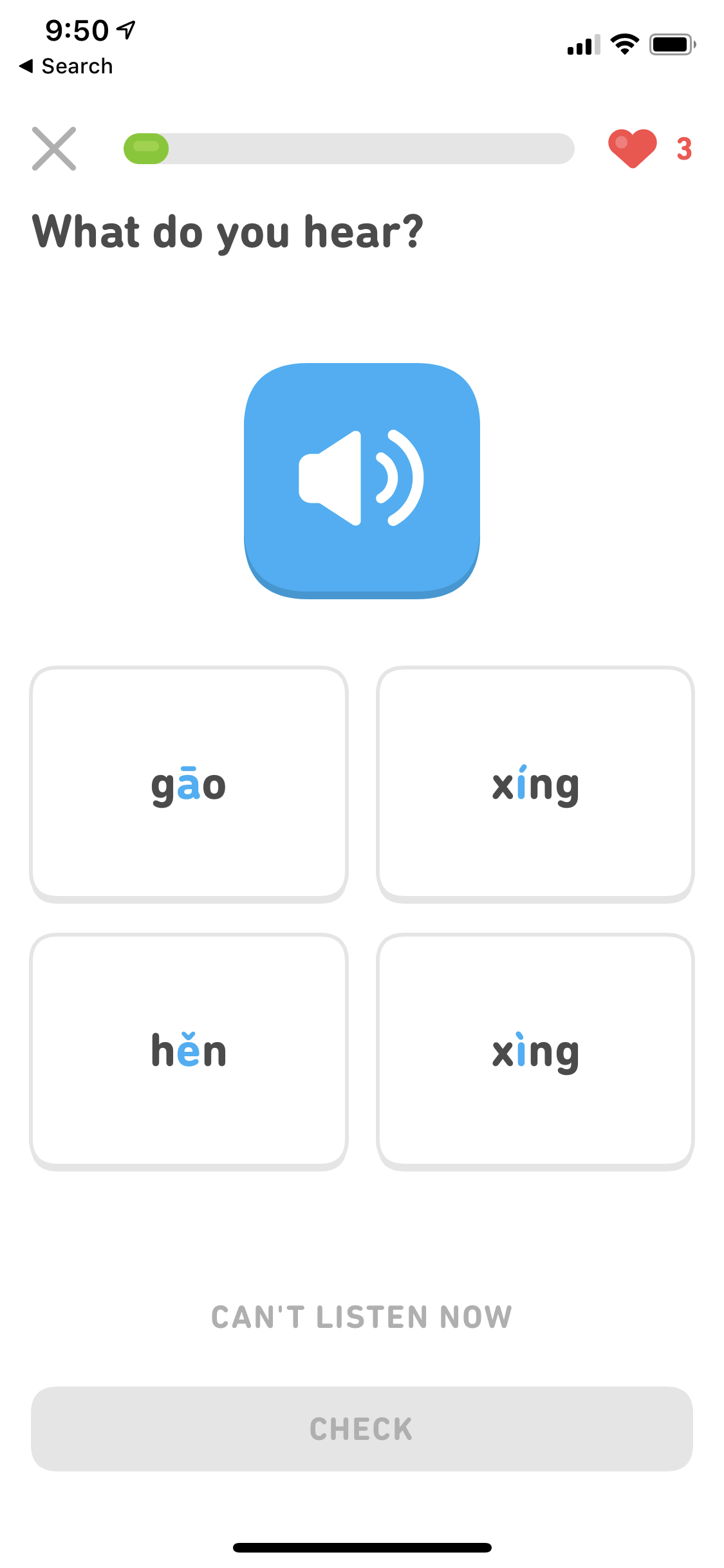
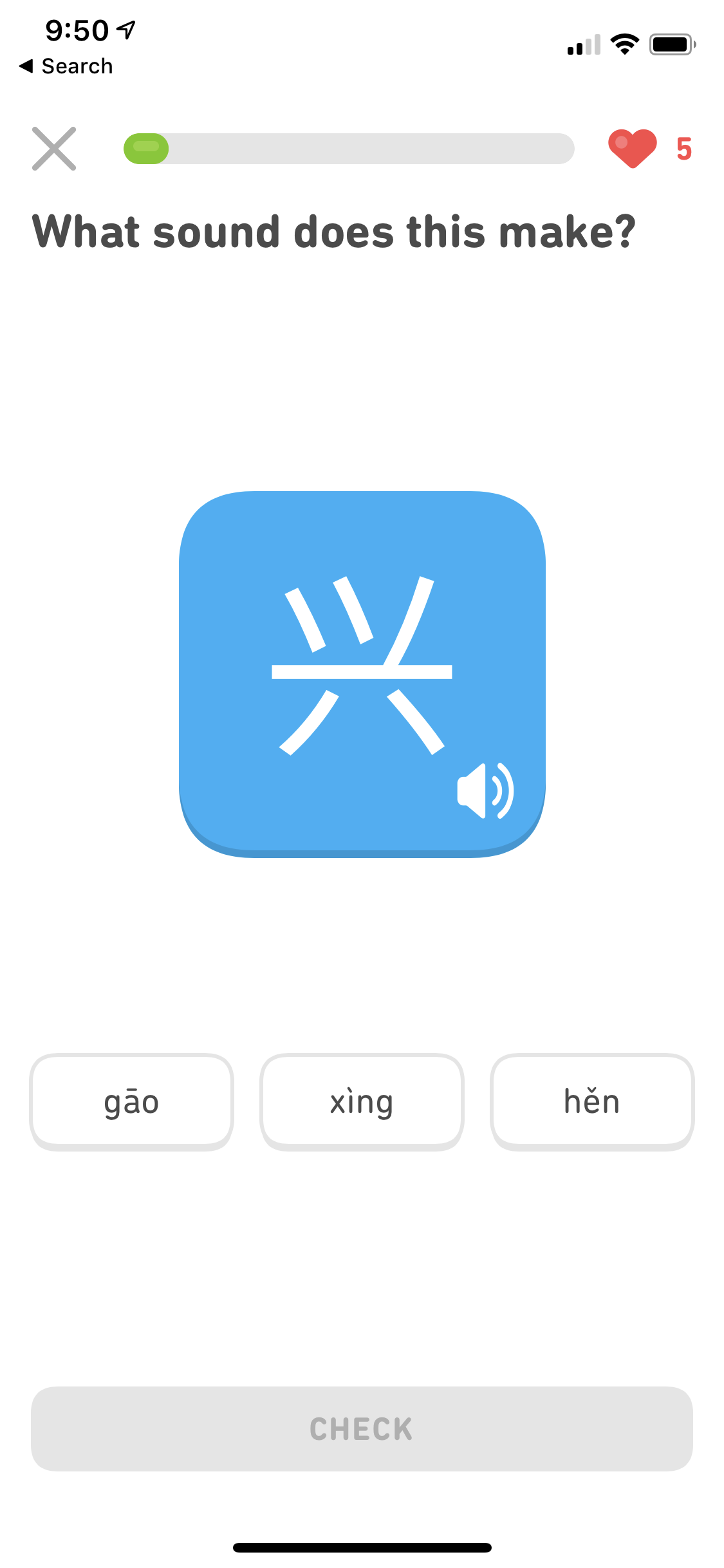
The Duo lingo smart phone app allows users to learn a second language. The app uses visuals (letters/characters) and verbal cues (saying the words and requiring users to say the word). This app adds the element of rewards and competition as users can compete against friends and earn rewards for completing lessons.

Limitations

  • As students are on a device, they may be tempted to engage in off-task behaviour
  • Students may engage in playing the game but not learn from it – students knowledge should be assessed following the game (what did they gain from the game?)
  • Students may not find the game interesting
  • Not all students have access to a device – if this is the case a computer room may be required to complete tasks such as these

References

Boateng, R., Boateng, S.L., Awuah, R.B.,  Ansong, E., & Anderson, A.B. 2016. Videos ins learning in higher education: assessing perceptions and attitudes of students at the University of Ghana. Smart Learning Environments. 3:8

Gerger, K. (2014). 1:1 tablet technology implementation in the Manhattan Beach Unified School District: A case study. California State University, Long Beach

Klopfer, E., & Squire, K. (2008). Environmental detectives: the development of an
augmented reality platform for environmental simulations. Educational Technology
Research and Development, 56(2), 203–228.

Lu, J., Meng, S., Tam, V. (2014).  Learning Chinese characters via mobile technology in a primary school classroom.  Educational Media International. 51(3) 166-184.

Images

Utilising Augmented Reality in the Classroom

What is Augmented Reality?

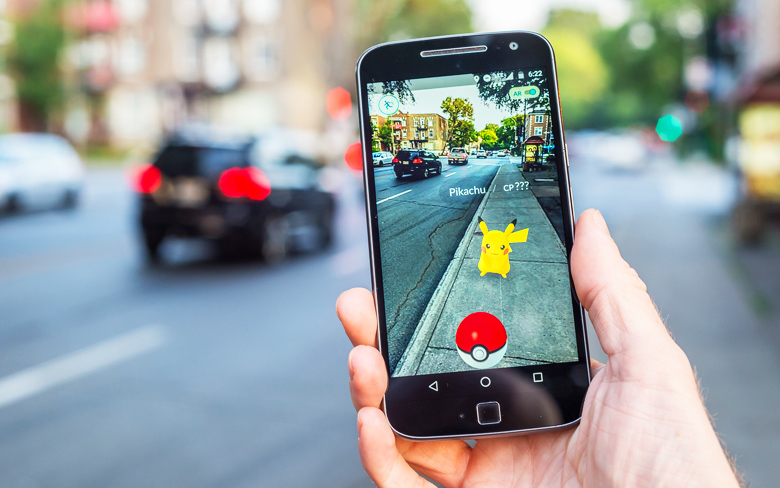
Augmented reality (AR) includes any technology which creates an interactive computer-generated simulation, which is overlayed onto the user’s surroundings (Dhanendran, 2009).  It allows its users to experience an enhanced real-world environment and may stimulate multiple sensory modalities, enabling it to create an immersive experience, engaging students (Feng et al., 2008; Kotranza et al, 2009). AR technologies come in many forms, the most common are phone apps and headmount devices. Augmented reality is a very new, up and coming technology, as such there are (currently) limited uses in education and augmented reality that is available for educational purposes are not always accessible to all (due to cost). However. as the technology becomes cheaper to produce and more accessible to purchase, this is expected to change. Augmented reality has the potential to drastically change education and the way we teach phenomena that is hard to visualise or experience. Recently, more smart phone apps utilising augmented reality technology has emerged and this blog post aims to look at a few of these for use in a classroom setting. Augmented reality on hand held devices such as smart phones are ideal for learning as this makes it accessible to students as well as allows them to continue use outside of school.

Using Augmented Reality to Foster Creativity

Augmented reality is useful for fostering creativity as it allows students to see things from a different perspective. This opens up new avenues and different ways of thinking to students that may not have been accessible to students before. As augmented reality provides an engaging authentic learning experience, it has the ability to foster student interest in the subject (Dede, 2009). AR can also be used to enable students to learn based on real-world issues and problems, thus teaching students critical thinking, creative thinking and problem solving skills (Dede, 2009). Since augmented reality technologies are so new to education, there is a lack of literature on its use in the education sector.

Examples

1. Sky View

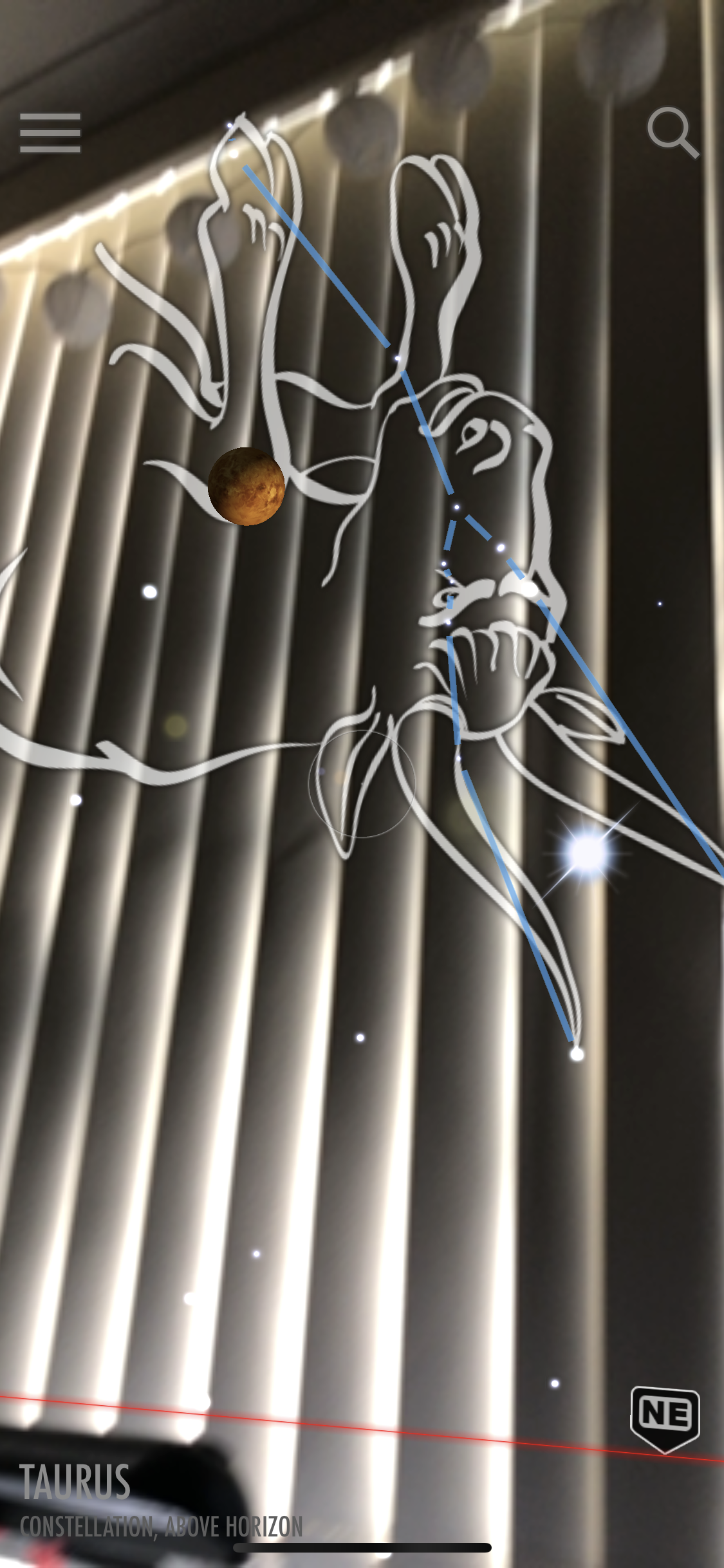
Sky view is an app available for download on a smart phone. This app superimposes the constellations onto the users surroundings. This enables the user to study astronomy at any time, when previously this was limited to night. The constellations seen change depending on location and time, meaning that through the utilisation of this app users gain access to constellation that would not have been possible to see due to weather, location or time.

2. Iphone Measure app

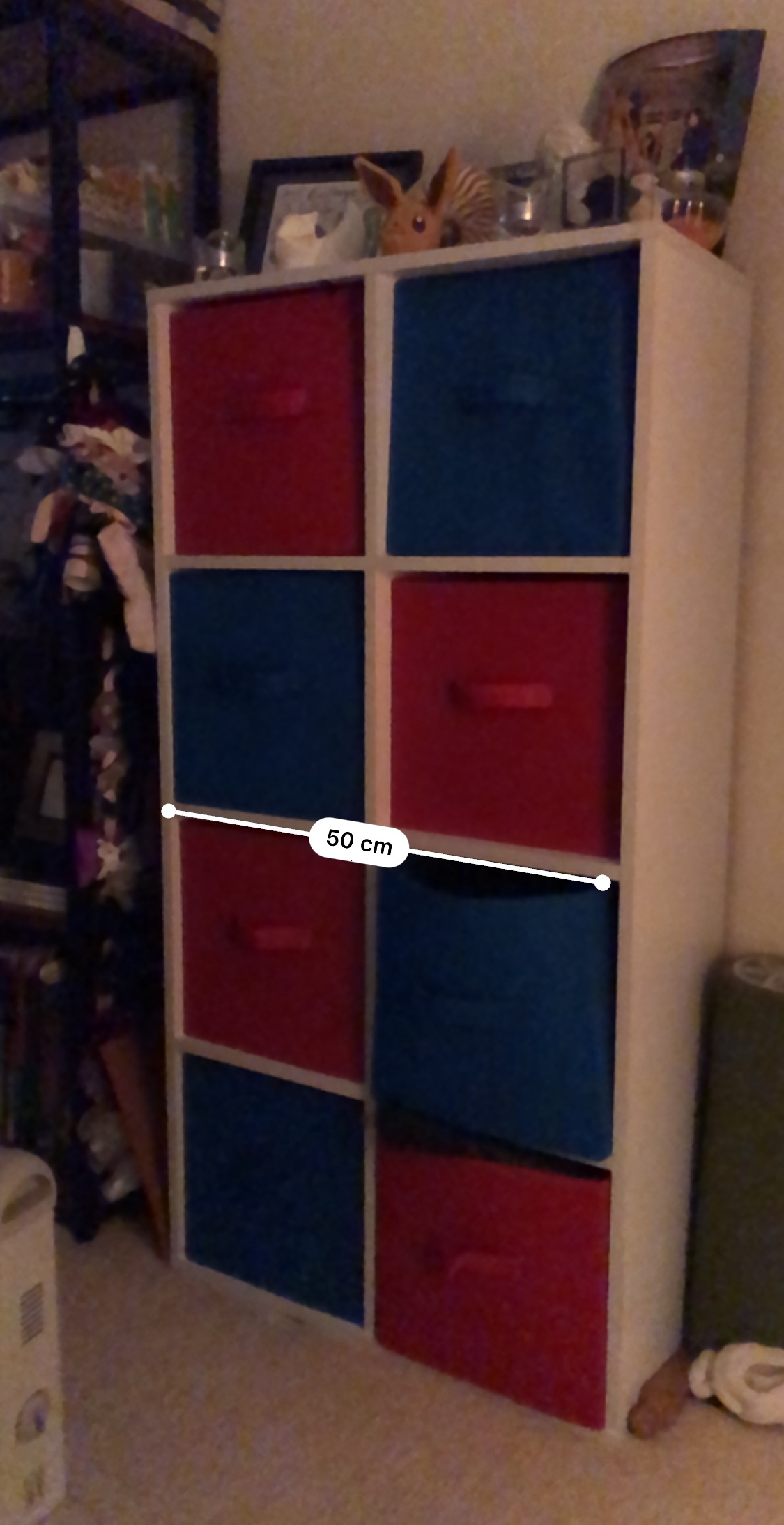
The Iphone measure app allows students to measure surrounding objects. A similar app targeting floor plans exists. However these apps measurements are not entirely accurate.

3. Human Anatomy Atlas

Human Anatomy Atlas is a smart phone app (paid) that enables the use to explore anatomy through the use of augmented reality.

4. Paint Space AR

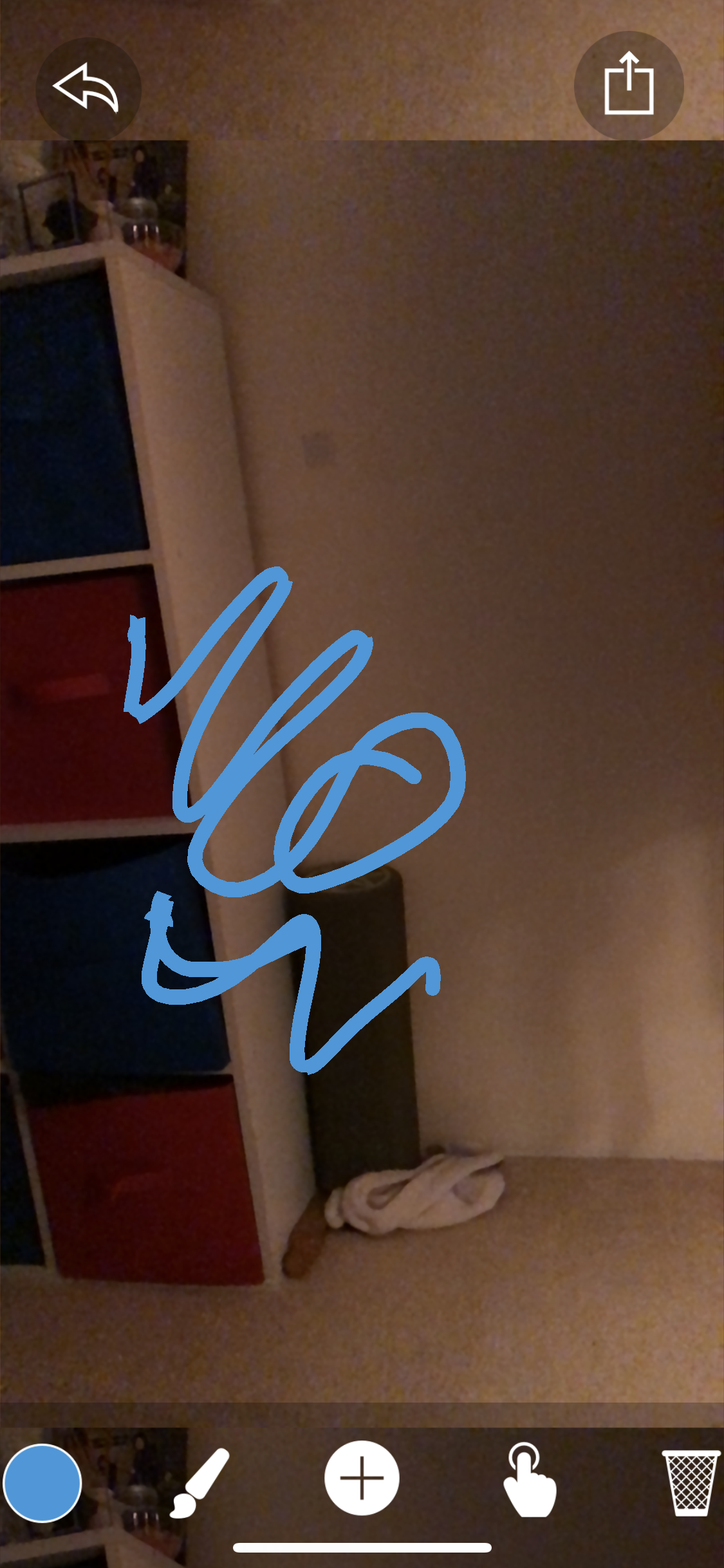
Paint Space AR is a smart phone app that allows users to draw on their surroundings. These drawings are left where they were created and allows the user to have a canvas of their whole surroundings.

Limitations

  • A range of this technology is not very accessible due to cost (i.e.: purchase of headset). Due to this cost, the technology may only be accessible during class and there may only be a few devices.
  • If the technology is new to students, students may require instruction on how to use the technology and may require time to get used to using the devices (time consuming).
  • Augmented reality phone apps may encourage off-task behaviour as students can utilise their phone to play games or message friends.
  • The iphone measure app is not entirely accurate – measurement will need to be checked.

References

Dede, C. (2009). Immersive interfaces for engagement and learning. Science, 323(5910),
66–69.

Dhanendran, Anthony. (2009). What is augmented reality? Computer Act!ve, Computer Act!ve, Oct 15, 2009.

Feng, Z., Duh, H. B.-L., & Billinghurst, M. (2008). Trends in augmented reality tracking, interaction and display: A review of ten years of ISMAR. Paper presented at the 7th IEEE/ACM international symposium on mixed and augmented reality (ISMAR), Cambridge, UK.

Kotranza, A., Lind, D. S., Pugh, C. M., & Lok, B. (2009). Real-time in-situ visual feedback of task performance in mixed environments for learning joint psychomotor- cognitive tasks (pp. 125–134). Paper presented at the 8th IEEE international symposium on mixed and augmented reality (ISMAR), Orlando, FL.

Images

Cody Rocky and Computational Thinking

What is Computational Thinking?

Computational thinking is a 21st century skill necessary for problem solving. It involves decomposing the problem, recognising patterns, designing algorithms, generalisation and abstraction. Computational thinking is an important skill to develops as it aides the development of both creativity as well as logical thinking (Liu et al., 2011; Sengupta et al., 2013) . According to Jun et al. (2017), computational thinking allows students to express their ideas, develop programs, and creatively solve problems. Computational Thinking allows students to improve technology literacy, an important skill in modern times (Davies, 2011; Reyna et al, 2017).

How Computational Thinking can Foster Creativity

Computational skill are a necessary skill for everyday life in the 21st century. Computational thinking allows individuals to develop their critical thinking skill and problem solving ability. Problem solving and critical thinking are skills that both require creativity (Jun et al, 2017). Computational problems require creative thinking and creative solutions. An aspect of computational thinking that allows it to foster creativity is that different methodologies and solutions can be used to solve the same problem. What solution and methodologies that are used is dependent on the users individual thought process.

What is Cody Rocky?

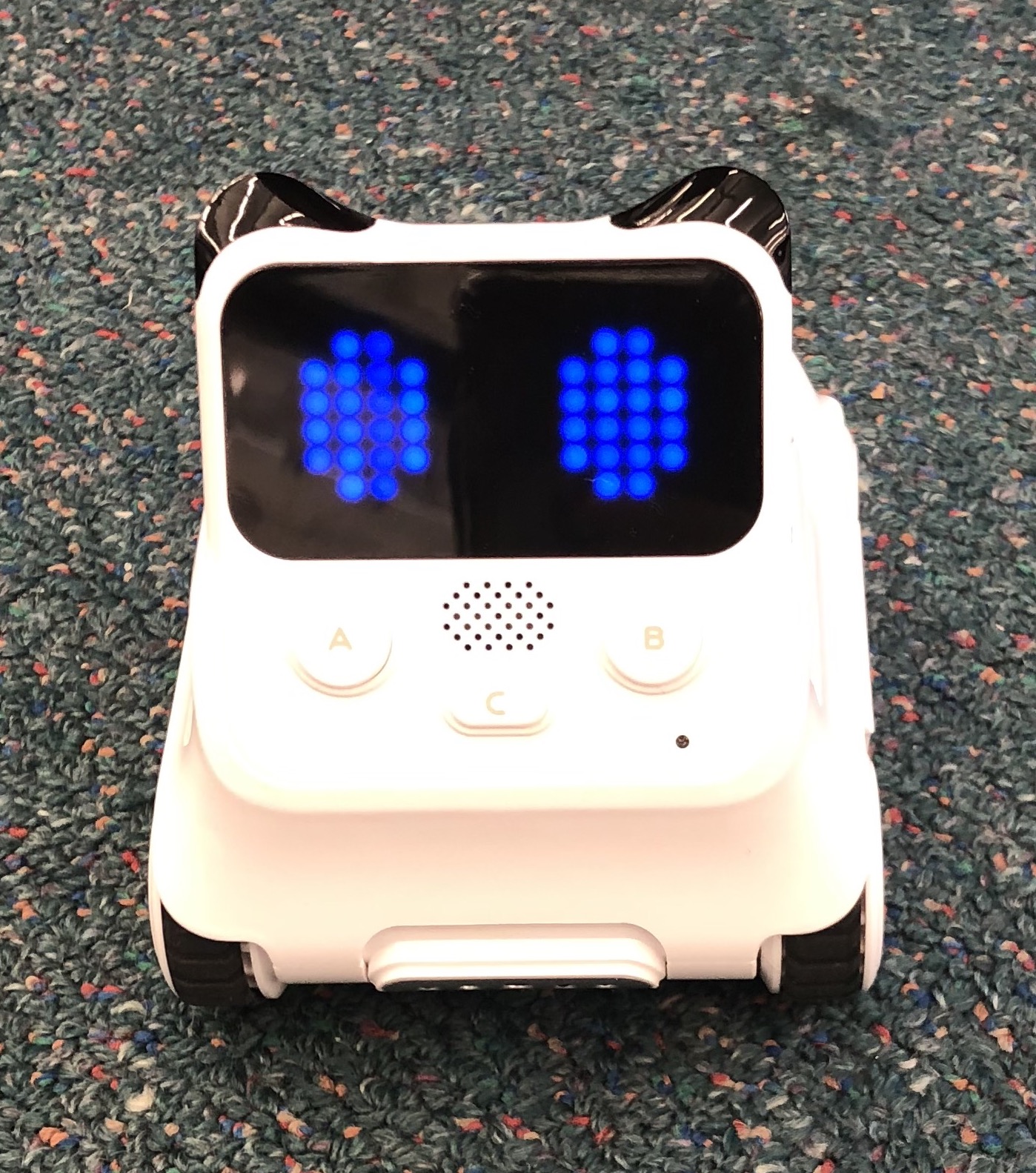
Cody Rocky is a small robot that is programmable through an app that you can access on an iPad. It allows students to change what is displayed on the screen (see the image below) how and where Cody Rocky moves and what sound(s) it makes.

The Cody Rocky is very user friendly as it has a website (makeblock) that contains easy to use step-by-step instructions as well as youtube videos on how to use both the robot and its corresponding app.

Click the following link to access the manual: Cody Rocky Manual

How Cody Rocky can Foster Creativity?

Cody Rocky allows the user to record their voice or other sounds to be played upon command through the programming app. Cody Rocky offers a great opportunity for students to learn about coding as they are able to see the output of their coding through the physical movement and/or production of sound(s) from the Cody Rocky robot.

The video below show a youtube video demonstration of how to use Cody Rocky and its programming app.

Cody Rocky instructional Video

The video below shows Cody Rocky in use (by me). The Cody Rocky was given instructions through the app to carry out (as demonstrated in he video).

Other Examples

  • Dash and Dot: Dash and dot are robots that are very similar to Cody Rocky. They are controlled through an app and are both able to produce sounds and light displays. Dash can move but dot is stationary.
  • Code.org: is a website that allows users to learn coding through the online platform.

Limitations

  • If paired with content, students may experience cognitive overload due to having to learn two things at once (how to code and the content being taught). For example, using Cody Rocky in Mathematics to trace out a square to learn about right angles – students have to learn both how to use Cody Rocky’s coding app to move Cody Rocky as well as the content about squares and right angles.
  • Students will (most likely) only have access to the technology during class – takes up class time
  • The equipment is costly, so only a few students at a time may get to have access to the equipment.
  • Teachers will need to become familiar with the technology before using it in a classroom setting – this will take up out of class time

References

Davies, R. (2011). Understanding Technology Literacy: A Framework for Evaluating Educational Technology Integration. TechTrends, 55(5), pp.45-52.

Jun, S.J., Han, S.K., Kim, S.H. (2017). Effect of design-based learning on improving computational thinking, Behaviour & Information Technology. 36:1, 43-53

Liu, C. C., Y. B. Cheng, and C. W. Huang. 2011. “The Effect of Simulation Games on the Learning of Computational Problem Solving.” Computers & Education 57: 1907–1918.

Reyna, J., Meier, P., Mimirinis, M. and Franetovic, M. (2018). Using the Learner-Generated Digital Media (LGDM) Framework in Tertiary Science Education: A Pilot Study. Education Sciences, 8(3), p.106.

Sengupta, P., J. S. Kinnebrew, S. Basu, G. Biswas, and D. Clark. 2013. “Integrating Computational Thinking with K-12 Science Education Using Agent-Based Computation: A Theoretical Framework.” Education and Information Technologies 18 (2): 351–380.

Padlet and Design Based Thinking

Related image

What is Padlet?

Padlet is an app that can be accessed through any device, including a tablet, smart phone or even computer. It allows users to create discussions/bulletin boards where other users can contribute. It cal also allow individual users to collate their own ideas by topic. It is a highly versatile app as it allows the posting/commenting of text, links, video, images, and more. Padlet could be a useful tool for design-based thinking tasks as it has the capability to allow students to capture ideas, collet evidence, and organise and sequence their work. As it is a platform for sharing, it also allows students to share ideas.

What is Design Based Thinking?

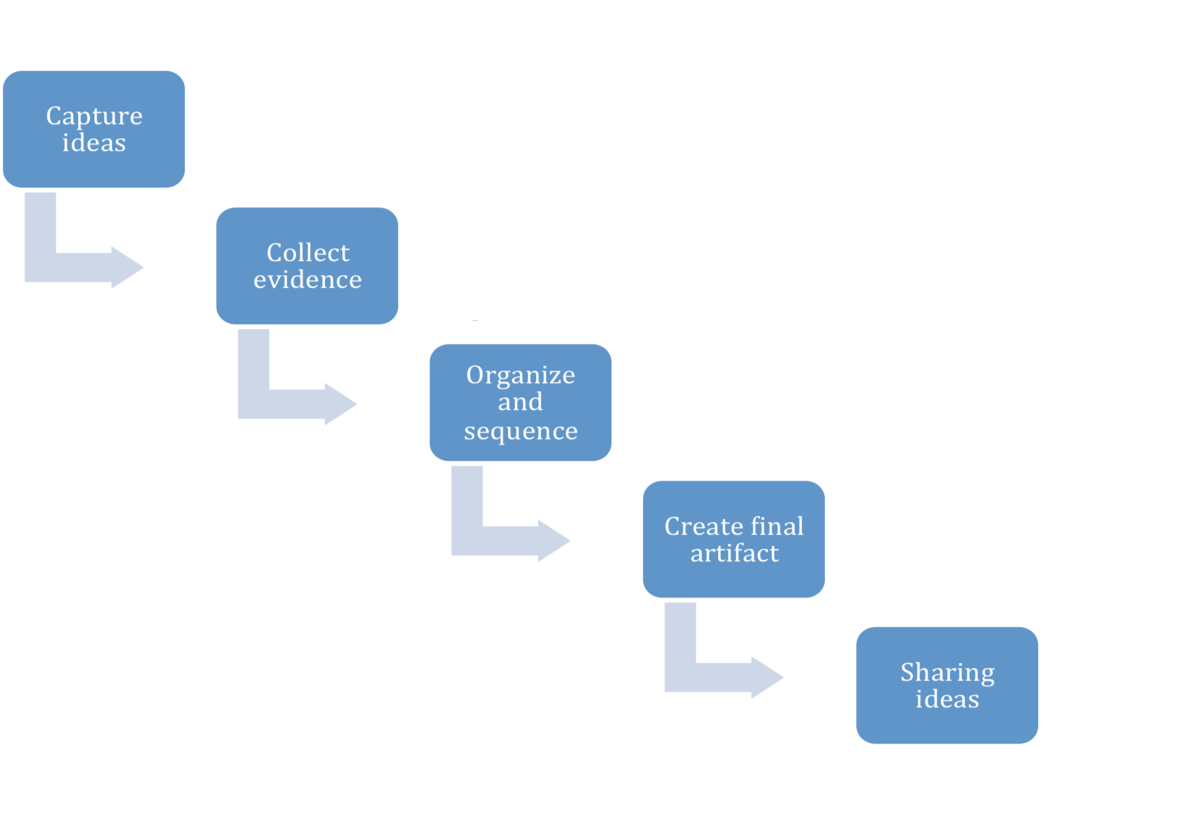
Design-based thinking is a process that allows both creative and critical thinking, resulting in the construction of ideas or products. The process undertaken during design-based thinking is shown below.

The Stages of Design Based Thinking

Design-based thinking is an important skill that is required to create educated adults who can think critically, make informed decisions, design creative solutions to problems, and who are able to share their ideas in a succinct and logical way (Wrigley, D.F., 2017). The concept of design-based thinking has also be found to boost creativity, which is important as creativity is a skill that is essential in everyday life as well as in the workforce (Saggar et al., 2017). According to Jun et al. (2017), design-based thinking has benefits in other areas of education, including improving computational thinking skills.

Using Padlet to Foster Creativity

There are many ways Padlet can be used to foster creativity Hands on involvement in online class discussions can improve student retention of knowledge as well as allowing shyer students participate more comfortably as it removes the intimidation of answering a question in front of the whole class (Kolb & Kolb, 2017; Kontra et al., 2015; Topping & Ehly, 2001). Due to this removal of face-to-face intimidation, technology such as Padlet creates, a safe space for all students to participate. Padlet can also be used for group projects, in which students can share ideas, inspire creative solutions and build upon each others ideas (Amass, 2016). The platform can also be used to encourage peer-to-peer feedback. Feedback is an important process as it allows students to learn from their own mistakes as well as from their peers work (Evans, 2013).

Examples

1. Individual Work

Padlet can be used for students to complete individual work. The example below shows padlet being used for an individual project. In this example it has been used to capture ideas, collect evidence as well as the organising and sequencing of that evidence.

Made with Padlet

2. Classroom Discussions

Padlet is extremely useful in creating classroom discussion. As mentioned earlier it allows students who would not normally contribute to a classroom discussion to participate. The use of padlet as a place to conduct class discussions is desirable as the discussion can be left as homework or as a way to summarise a topic. It can also be used to monitor student participation and check student knowledge. This method of discussing issues can also inspire students interest in the subject and may encourage further learning. The example below shows how a teacher could use padlet as a discussion platform.

Made with Padlet
An example of Padlet use within a classroom setting.

3. Posting of exemplar work

The example below has been used in a real classroom and contains the work of a year 7 class. The class were asked to upload their best PEEL paragraph. The paragraphs were then discussed as a class – what students did well, and what students needed to improve. an exempla paragraph was then selected to show students how they should be setting out their paragraphs.

Made with Padlet

4. Peer-to-peer feedback

As see above, when students post their work in the platform, teachers could set peer-to-peer feedback as a task. This will encourage student to proof read their work before posting and will help students to identify where they need to improve.

Limitations

  • Internet failure can impede students’ use of this technology
  • Requires teacher monitoring to minimise student inappropriate behaviour (equal share of work during group work, appropriate language in class discussions, etc)
  • As it requires the use of a device, it may encourage off-task behaviour/ inappropriate use of the students device (e.g.: playing games, etc)
  • Not all students will have access to a device – may require booking school computers
  • Not all teachers are tech-savy, if the classroom teacher is away, the substitute teacher may not know how to use it
  • Face-to-face discussion skill are still important and need to be encouraged as discussing only on an online platform may be detrimental to students social skills
  • Where students are asked to produce exemplar work for their peers to see, the exemplar student(s) may worry that others may copy their work

References

Amass, H. (2016). Pooling ideas to get ahead. Times Educational Supplement, (5208), 24-30.

Evans, C. (2013). Making Sense of Assessment Feedback in Higher Education. Review of Educational Research, 83(1), 70-120.

Jun, S.J., Han, S.K., Kim, S.H. (2017). Effect of design-based learning on improving computational thinking, Behaviour & Information Technology. 36:1, 43-53

Kolb, A.Y. & Kolb, D.A. (2017). Learning styles and learning spaces: enhancing experiential learning in higher education. Academy of Management Learning and Education. 4(2)

Kontra, C., Lyons, D.J., Fischer, S.M. (2015). Physical experience enhances science learning. Psychological Science. 26(6) 737-749.

Saggar, M., Quintin, E.M., Bott, N.T., Kienitz, E., Chien, Y.H., Hong, D.W.C., Liu, H., Royalty, A., Hawthorne, G., Reiss, A.L. (2017). Changes in Brain Activation Associated with Spontaneous Improvization and Figural Creativity After Design-Thinking-Based Training: A Longitudinal fMRI Study.  Cerebral Cortex, 27(7) 3542–3552

Topping, K. & Ehly, S. (2001). Peer Assisted Learning: A Framework for Consultation. Journal of Educational and Psychological Consultation, 12(2), 113-132.

Wrigley, Derek F. (2017) Design-based thinking in our schools [online]. Artichoke. 59, 14.

Images

Padlet Logo. (2019). [image] Available at: https://www.google.com/search?q=padlet&source=lnms&tbm=isch&sa=X&ved=0ahUKEwiZ5vzbkYThAhWS7nMBHcvrD_wQ_AUIDigB&biw=1439&bih=716&dpr=2#imgdii=fh40izUSnL7iOM:&imgrc=kc6IF84XfkqohM:

Using YouTube to Foster Creativity in the Classroom

Image result for youtube image

What is YouTube?

YouTube is an online platform, allowing users to upload and share videos.

YouTube in the classroom.

YouTube can enhance students’ learning experience as it enables students to access a wide range of resources, including the different perspectives of experts in the field (Furio et al., 2015). This is particularly useful when approaching problems. For example, the following video shows an alternative approach to multiplication which may be useful for visual learners.

Using lines to multiply: an alternative method for multiplication.

YouTube videos, such as the one below, which associate songs with content may be a useful mnemonic for students.

The periodic table song: remembering the periodic table of elements

Using YouTube to foster creativity.

Creating YouTube videos is a good opportunity to improve technology literacy as the creating of videos can require the use of multiple different apps such as animation apps (eg: renderforest, tellagami), editor apps (eg: stopmotion, moviemaker) and more. This is an important skill to have, as technology literacy is an important skill that students will require for their future (Davies, 2011; Reyna et al, 2017).

Having students create content allows them to incorporate their interest such as acting, singing, animating, etc. Student involvement is imperative in fostering interest, which correlates with how invested students are in their learning (Frymier & Shulman, 2009; Frisby et al, 2014). Hands on involvement, such as creating YouTube videos, can improve student retention of knowledge (Kolb & Kolb, 2017; Kontra et al., 2015).

Teachers can set tasks requiring students to summarise different topics and share their video summaries with the class. This is a great way for students to learn as it removes teacher intimidation (Topping & Ehly, 2001). Another way to use YouTube is to have students submit a video link to the teacher this can be useful when students are shy and do not want to share their videos.

YouTube video creation tasks:

  • Summarising topics
  • Demonstration videos
  • Comparing processes
  • Videos to aid memorisation

Examples

Shy students can make a stop motion video (does not require the student to speak or appear on camera) or animated video.

Stop motion video demonstrating DNA replication

Musically inclined students could make a music video. Using familiar songs can be used to foster interest, reinforce topics and facilitate content retention in a more interesting and relatable way (Boticki et al, 2015).

Breathin’ by Ariana Grande is used by ASAP Science to summarise the respiratory system

A comparison of two similar processes, mitosis and meiosis.

Mitosis vs. Meiosis: Side by Side Comparison

A video demonstration of laboratory safety.

A zombie movie parody is used to explain laboratory safety rules

Limitations

  • potential to distract students
  • Some students may not enjoy making/sharing videos
  • some students may require education technology literacy
  • not all student will have access to technology
  • Technology may not always work – wifi outages

References

Boticki, I., Baska, J., Seow, P., Looi, C.K. (2015) Usage of a mobile social learning platform with virtual badges in a primary school. Computers & Education, 86, 120-136.

Davies, R. (2011). Understanding Technology Literacy: A Framework for Evaluating Educational Technology Integration. TechTrends, 55(5), pp.45-52.

Frisby, B., Weber, K., Beckner, B. (2014). Requiring Participation: An Instructor Strategy to Influence Student Interest and Learning. Communication Quarterly, 62(3), 308-322.

Frymier, A.B. & Shulman, G.M. (2009). “What’s in it for me?” Increasing content relevance to enhance students’ motivation. Communication Education. 44(1), 40-50.

Furio, D., Juan, M.C., Segui, I., Vivo, R. (2015) Mobile learning vs traditional classroom lessons: a comparative study.  Journal of Computer Assisted Learning. 31(3), 189-201.

Kolb, A.Y. & Kolb, D.A. (2017). Learning styles and learning spaces: enhancing experiential learning in higher education. Academy of Management Learning and Education. 4(2)

Kontra, C., Lyons, D.J., Fischer, S.M. (2015). Physical experience enhances science learning. Psychological Science. 26(6) 737-749.

Reyna, J., Meier, P., Mimirinis, M. and Franetovic, M. (2018). Using the Learner-Generated Digital Media (LGDM) Framework in Tertiary Science Education: A Pilot Study. Education Sciences, 8(3), p.106.

Topping, K. & Ehly, S. (2001). Peer Assisted Learning: A Framework for Consultation. Journal of Educational and Psychological Consultation, 12(2), 113-132.

Videos and Images

Biology DNA replication Stop Motion. (2014). Available at: https://youtu.be/YnbsmZ9fBFU

Breathin – Ariana Grande SCIENCE Acapella. (2018). Available at: https://www.youtube.com/watch?v=m-vJc1olyec

Math Trick – Multiply Using Lines!. (2013). Available at: https://www.youtube.com/watch?v=_AJvshZmYPs&feature=youtu.be

Mitosis vs. Meiosis: Side by Side Comparison. (2018). Available at: https://www.youtube.com/watch?v=zrKdz93WlVk&t=199s

Smith, D. (2014). iTube, YouTube, WeTube: Social Media Videos in Chemistry Education and Outreach. Journal of Chemical Education, 91(10), pp.1594-1599.

The Periodic Table Song (2018 UPDATE!). (2018). Available at: https://www.youtube.com/watch?v=rz4Dd1I_fX0&feature=youtu.be

Youtube Logo. (2019). [image] Available at: https://www.google.com/search?q=youtube+image&tbm=isch&source=iu&ictx=1&fir=EGggBvNQQNaC6M%253A%252C4a6-Q5hXqUpv8M%252C_&vet=1&usg=AI4_-kTXQI1tDKV_PXqERXd1FIqW4zJLFg&sa=X&ved=2ahUKEwi1j_KTwIHhAhVs7HMBHRgaC4YQ9QEwAHoECAMQBA&biw=1444&bih=716&dpr=2#imgrc=EGggBvNQQNaC6M

Zombie College: The 5 Rules of Lab Safety. (2013). Available at: https://www.youtube.com/watch?v=S6WARqVdWrE&t=63s